Tabs
A native tab bar elevates a Hotwire Native app to make it feel more like a native app. Under the hood, Hotwire Native uses a standard UITabBarController subclass. This means all the expected features work out of the box, including:
- Customization for tab titles and images
- Separate navigation stacks for each tab
- Tapping an active tab pops the stack to the root screen
﹟ Add a tab bar controller
We’ll build on top of the app from the Getting Started guide. From there, replace the contents of SceneDelegate with the following:
import HotwireNative
import UIKit

let rootURL = URL(string: "https://hotwire-native-demo.dev")!

class SceneDelegate: UIResponder, UIWindowSceneDelegate {
    var window: UIWindow?

    private let tabBarController = HotwireTabBarController()

    func scene(_ scene: UIScene, willConnectTo session: UISceneSession, options connectionOptions: UIScene.ConnectionOptions) {
        window?.rootViewController = tabBarController
        tabBarController.load(tabs)
    }
}
Then, populate the tabs with a tabs variable at the bottom of the file:
let tabs = [
    HotwireTab(
        title: "Navigation",
        image: .init(systemName: "arrow.left.arrow.right")!,
        url: rootURL
    ),

    HotwireTab(
        title: "Bridge Components",
        image: .init(systemName: "square.grid.2x2")!,
        url: rootURL.appendingPathComponent("components")
    )
]
This creates two tabs, Navigation and Bridge Components.
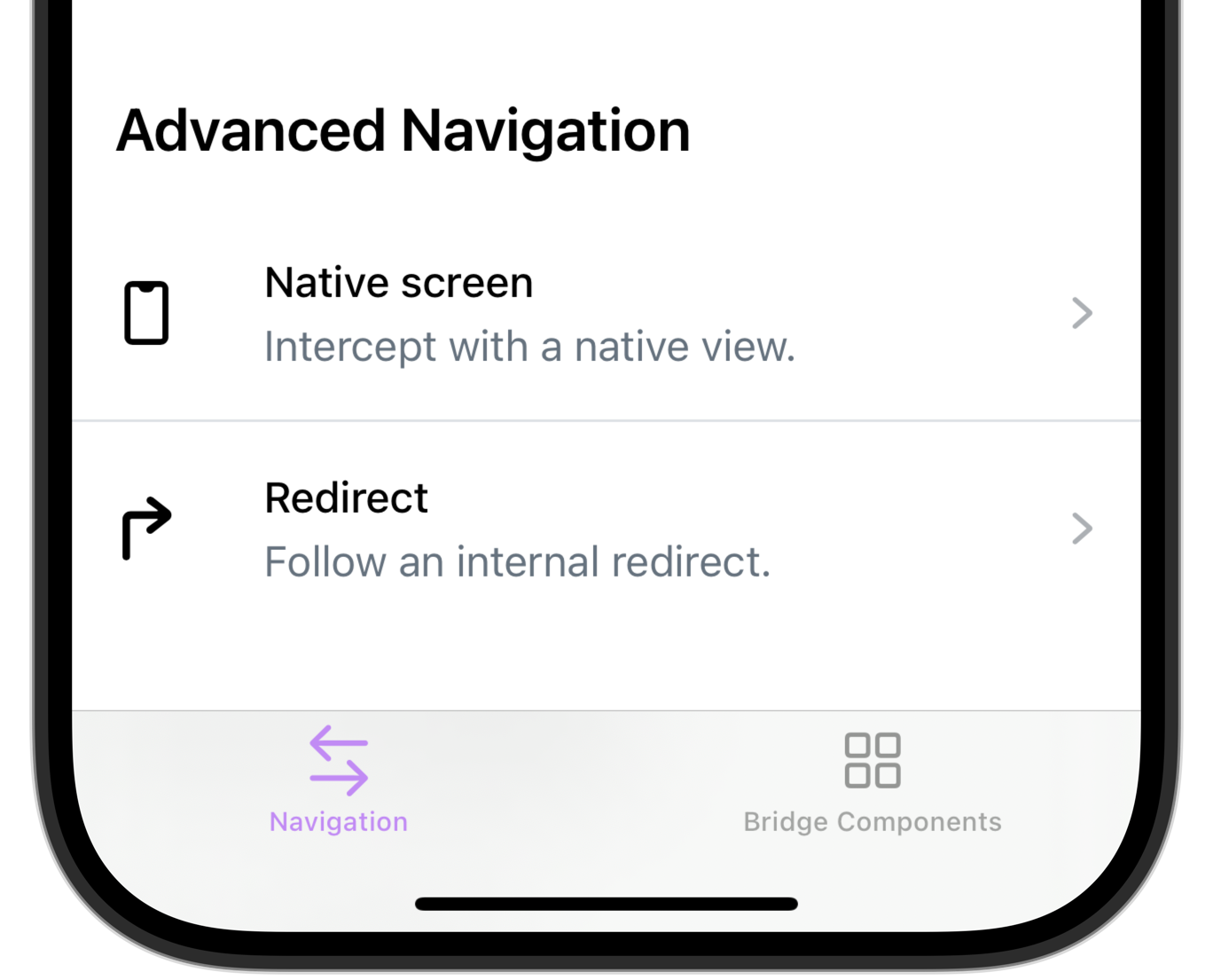
Each HotwireTab requires the following parameters:
title: The string to display on the tabimage: The image to display on the tab - the example above uses SF Symbolsurl: The URL to visit when the tab loads
Optionally, pass selectedImage to display a different image when the user selects the tab.
Each tab gets its own Navigator instance with its own navigation stack. The currently selected tab’s navigator is exposed via activeNavigator, useful when routing URLs manually. And pass a NavigatorDelegate to the initializer to customize how proposals and errors are handled for every tab’s navigator:
HotwireTabBarController(navigatorDelegate: self)﹟ Lazy loading
Every tab’s start location is loaded up front when load(_:) is called, so switching tabs is instant. If loading every tab up front is too expensive, opt into lazy loading by passing lazyLoadTabs: true to the initializer. A lazily loaded tab doesn’t visit its start location until the user first selects it. The initially selected tab always loads right away.
HotwireTabBarController(lazyLoadTabs: true)﹟ Search tab
Pass isSearchTab: true to give a tab the system search role. On iOS 18+ the tab is created as a UISearchTab, which adopts the dedicated search appearance on iOS 26. On earlier iOS versions it behaves like a regular tab.
HotwireTab(
    title: "Search",
    image: .init(systemName: "magnifyingglass")!,
    url: rootURL.appendingPathComponent("search"),
    isSearchTab: true
)
﹟ Hide the tab bar when pushing
By default, the tab bar stays visible when navigating deeper into a tab’s stack. Set Hotwire.config.hideTabBarWhenPushed to true to only show the tab bar on each tab’s root screen:
Hotwire.config.hideTabBarWhenPushed = true